Website performance is one of the most important ranking factors in modern SEO. Search engines want to deliver the best possible experience to users, which means fast-loading pages, smooth interactions, and stable layouts. This is exactly why Google introduced Core Web Vitals as a key part of its ranking algorithm.
If your website loads slowly or shifts elements while loading, it can negatively impact user experience and search rankings. Learning how to fix core web vitals issues is essential if you want to improve SEO performance, increase page speed, and keep visitors engaged.
In this guide, we will explain what Core Web Vitals are, why they matter for SEO, and the best strategies to fix core web vitals issues and improve your website performance.
What Are Core Web Vitals?
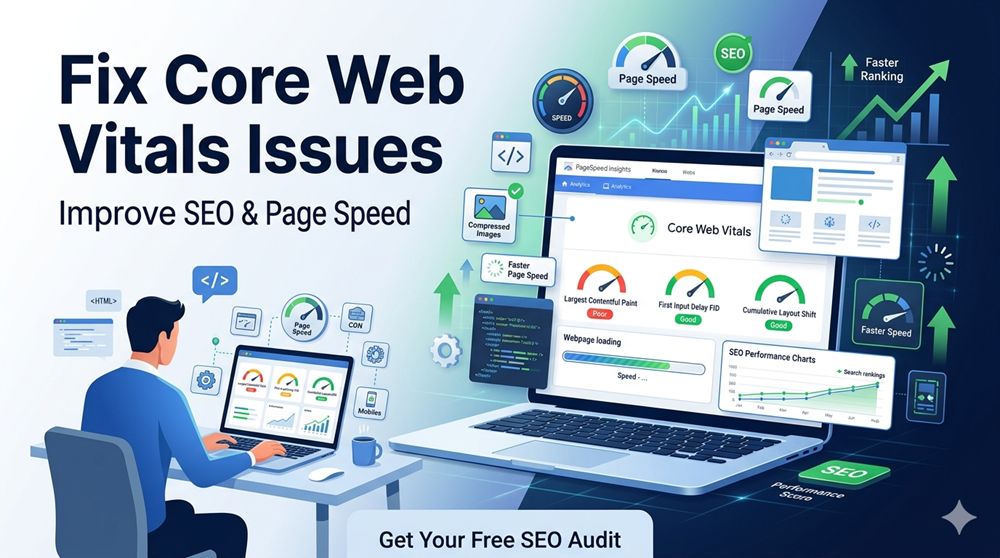
Core Web Vitals are a set of performance metrics that measure how users experience your website. These metrics focus on loading speed, interactivity, and visual stability.
The three main Core Web Vitals metrics include:
1. Largest Contentful Paint (LCP)
LCP measures how quickly the main content of a page loads. A good LCP score should be under 2.5 seconds.
2. First Input Delay (FID)
FID measures how quickly your website responds when a user interacts with it, such as clicking a button or link.
3. Cumulative Layout Shift (CLS)
CLS measures visual stability. If elements move unexpectedly while a page loads, users may click the wrong buttons or lose focus.
When websites improve these metrics and fix core web vitals issues, search engines reward them with better rankings and improved visibility.
Why Core Web Vitals Matter for SEO
Core Web Vitals are part of Google’s Page Experience signals, which directly influence rankings.
When you successfully fix core web vitals issues, your website benefits in several ways:
- Faster page load speed
- Improved user experience
- Lower bounce rates
- Higher engagement and conversions
- Better organic search rankings
Websites with optimized performance metrics often outperform slower competitors in search results.
How to Check Core Web Vitals Performance
Before you can fix core web vitals issues, you must identify what is causing the problem.
Several SEO tools can analyze your website performance, including:
- Google PageSpeed Insights
- Google Search Console Core Web Vitals report
- Lighthouse performance audit
- Chrome User Experience Report
These tools analyze your pages and highlight issues related to page speed, render blocking resources, and layout shifts.
Common Causes of Core Web Vitals Problems
Many websites experience poor performance due to technical issues that affect loading speed and responsiveness.
Common causes include:
- Large unoptimized images
- Slow server response time
- Excessive JavaScript execution
- Poor hosting performance
- Render-blocking CSS and scripts
- Unstable page elements during loading
Identifying these issues helps developers and SEO specialists fix core web vitals issues more effectively.
Proven Ways to Fix Core Web Vitals Issues
1. Optimize Images for Faster Loading
Large images significantly slow down websites.
To fix core web vitals issues related to loading speed, optimize images by:
- compressing image files
- using modern formats like WebP
- enabling lazy loading
- resizing images to proper dimensions
Optimized images improve Largest Contentful Paint and enhance overall page speed.
2. Improve Server Response Time
Slow servers delay page loading and negatively affect user experience.
Ways to improve server response time include:
- upgrading hosting services
- using faster server infrastructure
- implementing caching systems
- reducing database queries
When servers respond faster, it becomes easier to fix core web vitals issues and improve page performance.
3. Minimize JavaScript Execution
Heavy JavaScript files can delay page interactivity.
To improve responsiveness and fix core web vitals issues, consider:
- removing unnecessary scripts
- splitting large JavaScript bundles
- deferring non-essential scripts
- using asynchronous loading
Reducing JavaScript execution time improves First Input Delay and interaction speed.
4. Eliminate Render-Blocking Resources
Render-blocking CSS and JavaScript prevent browsers from displaying content quickly.
You can optimize this by:
- deferring CSS files
- loading scripts asynchronously
- prioritizing above-the-fold content
- reducing unused CSS code
These improvements allow browsers to render content faster and help fix core web vitals issues related to page loading.
5. Enable Browser Caching
Browser caching stores website resources on users’ devices so they load faster during repeat visits.
By enabling caching, websites reduce server requests and improve load time.
This optimization is one of the simplest ways to fix core web vitals issues while improving page speed.
6. Use a Content Delivery Network (CDN)
A Content Delivery Network distributes website content across multiple global servers.
Benefits of using a CDN include:
- faster content delivery
- reduced latency
- improved website performance worldwide
Using a CDN is a powerful strategy to fix core web vitals issues for websites with international audiences.
7. Reduce Layout Shifts
Unexpected layout movement is one of the biggest user experience issues.
To prevent layout shifts:
- specify image dimensions
- reserve space for ads and embeds
- avoid dynamically injected content above existing elements
These steps improve visual stability and help fix core web vitals issues related to CLS.
8. Optimize Fonts and Third-Party Scripts
External resources such as fonts, analytics tools, and advertising scripts often slow down websites.
To improve performance:
- preload important fonts
- limit third-party scripts
- load tracking scripts after page content
- remove unnecessary plugins
Optimizing these elements helps websites fix core web vitals issues while maintaining functionality.
The Role of Technical SEO in Core Web Vitals Optimization
Technical SEO plays a major role in improving site performance.
Important technical SEO factors include:
- mobile-friendly design
- fast website architecture
- optimized code structure
- efficient caching mechanisms
- proper resource prioritization
When technical SEO improvements are implemented correctly, websites can effectively fix core web vitals issues and maintain strong performance across devices.
Why Website Speed Impacts Conversions
Page speed does not only affect SEO, it directly impacts business results.
Studies show that users abandon websites that take longer than a few seconds to load.
When businesses fix core web vitals issues, they often see improvements such as:
- increased engagement
- higher conversion rates
- better customer satisfaction
- improved brand trust
Fast websites create better user experiences and lead to stronger business outcomes.
How SEO Pro Freelancer Can Help Improve Website Performance
Optimizing Core Web Vitals requires technical expertise and a deep understanding of SEO best practices.
At SEO Pro Freelancer, we specialize in improving website performance and search visibility.
Our SEO services include:
- technical SEO audits
- Core Web Vitals optimization
- page speed improvements
- website performance analysis
- on-page SEO optimization
- website structure improvements
We help businesses fix core web vitals issues, improve page speed, and achieve higher rankings in search results.
👉 Contact SEO Pro Freelancer today for a free SEO audit and discover how we can improve your website performance and rankings.
FAQs
1. What are Core Web Vitals in SEO?
Core Web Vitals are performance metrics that measure page speed, responsiveness, and visual stability to evaluate user experience on a website.
2. Why should I fix core web vitals issues?
Fixing these issues improves website speed, enhances user experience, reduces bounce rates, and increases the chances of ranking higher in search results.
3. How long does it take to improve Core Web Vitals?
Improvements can appear within a few weeks after implementing performance optimizations and updates.
4. Do Core Web Vitals affect Google rankings?
Yes. Core Web Vitals are part of Google’s page experience signals and can influence organic search rankings.
5. Which tool is best to check Core Web Vitals?
Google PageSpeed Insights and Google Search Console are the most reliable tools to analyze and monitor Core Web Vitals performance.